Category: General

66 posts

Standard

What We Mean By “Privacy-First”

InqScribe Has Privacy in Its Bones InqScribe started as a tool we built for our own research. We’re educational researchers, and our work at major research universities has always gone through Institutional Review Boards (IRBs), which carefully review how we protect the people who take part in our studies. Student identities must stay confidential. Recordings…

Read more
Standard

Why Does InqScribe Offer a 10-Day License?

We think InqScribe is a pretty good deal at $79 for a perpetual license. But that assumes you’re going to use it regularly, or at least that you expect to come back to it over time. Sometimes, that’s not the case. Maybe you have a short-term project, a stack of interviews to transcribe, or a…

Read more

Heading Back to School? You May Already Qualify for an InqScribe Discount

A new school year often means new classes, new research projects, and—if you work with recorded interviews, lectures, fieldwork, or other audio and video—a renewed need for transcription tools. Before you purchase InqScribe 3 at the regular price, it’s worth taking a look at the discounts and purchasing options that may already be available to…

Read more

InqScribe Store Downtime on Feb 10

Our online store will be down for maintenance on Saturday, February 10 from approximately 7:00-9:30pm PST. During this maintenance window you will not be able to complete a purchase from our store. Thank you for your patience during our upgrade.

Read more

InqScribe is off Twitter/X

We are no longer providing product updates and customer support via Twitter/X. To reach customer support, use the form on our support page. For product updates, check back at this blog or subscribe to our newsletter.

Read more
Standard

Support for MediaSeal

If your company is currently using MediaSeal to encrypt your post-production media assets, rest assured, both InqScribe Mac and Windows have been whitelisted. Just enter your password as usual and InqScribe should have no problems playing your media. If you have used MediaSeal previously, you may find that you need to reboot to force MediaSeal…

Read more
Image

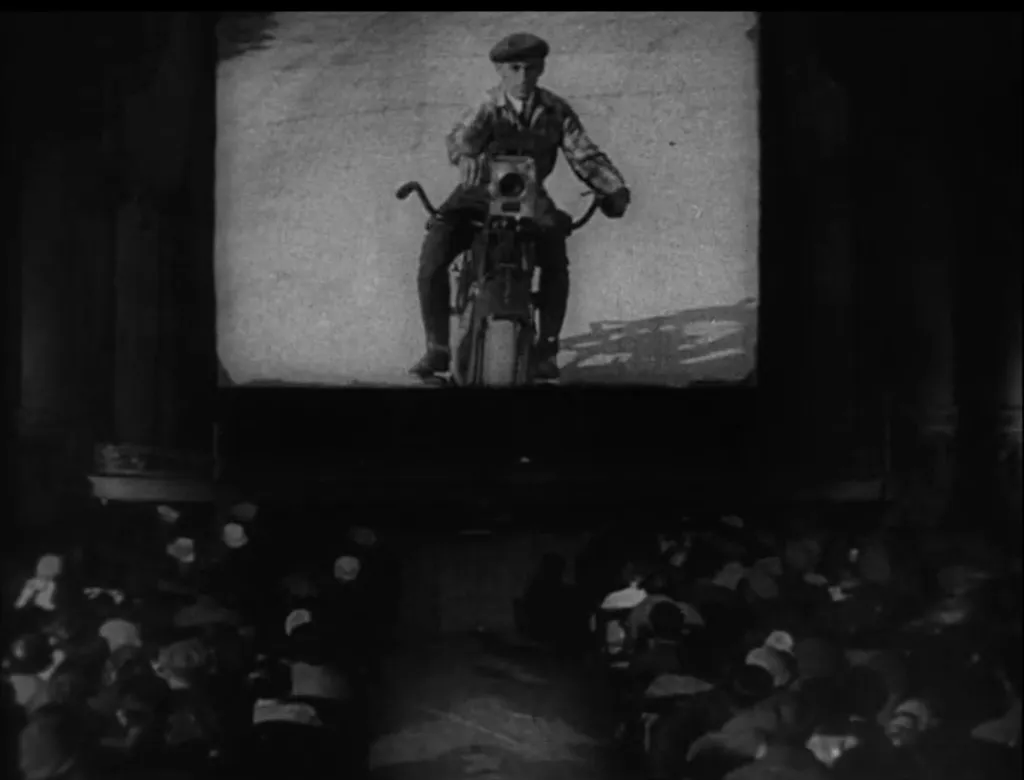
Guest Blog: Translating Russian Cinema with InqScribe

Kino Klassika uses InqScribe to bring Russian film culture to new audiences. By: Olga Doletskaya, Season Manager at Kino Klassika Founded in 2015, Kino Klassika Foundation is the only independent organisation in the world dedicated to cinema from Russia, the Caucasus, and Central Asia. We create programs of restorations, publications, art commissions, and events to…

View photo

InqScribe macOS Big Sur Support

Those of you thinking of updating to macOS Big Sur (11.0), fear not. The InqScribe 2.5 beta works great on macOS Big Sur. It will of course also continue running on macOS Catalina (10.15) and most older versions of macOS going back to 10.8. While the 2.5 beta runs on Catalina and Big Sur, our…

Read more

Mac Users: InqScribe Catalina Support Coming Soon...

Apple has released macOS Catalina which has broken many applications, including InqScribe. Here’s what you need to know: Don’t upgrade just yet! As with any major OS update, we recommend waiting at least a release or two for Apple to fix the inevitable issues before upgrading. This is doubly true if you have any critical…

Read more
Aliana's team uses InqScribe to transcribe translations for the film. Image

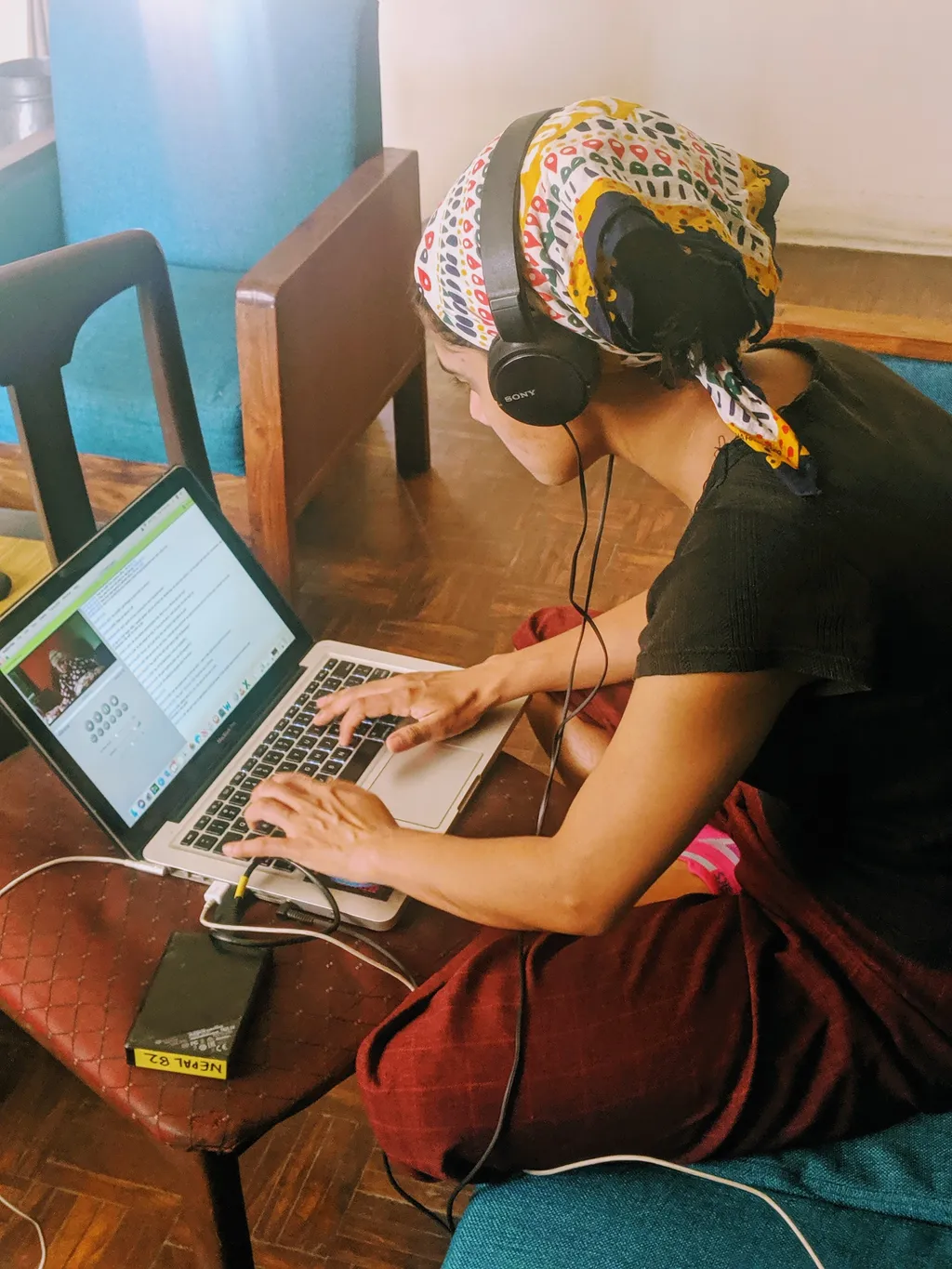
Guest Blog: Giving Voice to Nepali Women

If you live in a small community and speak a regional language, it’s difficult for your story to get out. Aliana uses InqScribe to translate the experiences of Nepali burn victims to a wider audience. By: Aliana Monodee, a documentary filmmaker with Tribhuvan University In Nepal, many women suffer discrimination based on caste and gender.…

View photo

MacOS Mojave Support

With the recent release of macOS 10.14 Mojave, you may wonder, will InqScribe still work if I update? The answer is yes. InqScribe offers the same functionality on Mojave as it has with previous versions of macOS. There is no need to download a new version of InqScribe. The current release, version 2.2.4 is the…

Read more

Using InqScribe Labs for Additional File Formats

Did you know InqScribe offers access to more export formats than what’s in the app? Our InqScribe Labs website allows you to convert your InqScribe transcript into a few extra formats. What is InqScribe Labs? InqScribe Labs is website that gives users access to experimental new features. Currently, the site houses a few commonly requested…

Read more
Image

Guest Blog: Standing Up for Nature with InqScribe

Amidst a busy travel schedule around remote regions of Kenya, Hannah & Jamie rely on InqScribe to capture inspiring stories of wildlife conservation. By: Hannah Pollock and Jamie Unwin, filmmakers and founders of Stand Up For Nature We believe visual media and films are an incredible tool for education and sharing peoples stories, but how…

View photo
The Creative High Standard

Guest Blog: Capturing The Creative High

The process of putting together a feature-length documentary can be daunting. Learn how Adriana uses InqScribe to wrangle together hours of footage. By: Adriana Marchione, director of the upcoming documentary The Creative High I have been involved in the arts for over twenty-five years as a filmmaker, exhibiting visual artist, Argentine tango dancer, arts therapist…

Read more

Windows QuickTime Vulnerabilities

By now, you may have heard about the security vulnerabilities posed by QuickTime for Windows. Given the security vulnerabilities, if you’re a Windows user, we highly recommend uninstalling QuickTime. What does this mean for Windows InqScribe users? You will still be able to play and transcribe most media that Windows Media Player supports. For more…

Read more
Newly Displaced Syrian Refugees Standard

Guest Blog: Refugee Stories

By now, you’re surely heard news of the “refugee crisis” affecting countries across the globe. Did you know that InqScribe is used in the field to document the stories of these refugees? By: Karl Schembri, Regional Media Advisor in the Middle East for the Norwegian Refugee Council As a humanitarian NGO, we respond to crises…

Read more

How to Convert an Audio File

Have you ever come across an audio file that won’t play in InqScribe? Although InqScribe supports a wide variety of formats (generally anything that will play in QuickTime 7 or Windows Media player 11), one day you may run into an audio file that won’t play correctly. If this happens, don’t panic, you can usually…

Read more

Back to School Sale

Need some extra motivation to get started on your transcripts this season? Well, good news... Announcing our InqScribe Back to School Sale! From 8/11 to 8/31, we’ll be extending our 30% off Academic Discount to everyone. This will bring down the cost of InqScribe from $99 to just $69. Head over to inqscribe.com and use…

Read more

Guest Blog: Using InqScribe to Run Your Own Business

Jessica Paxton recently started her own transcription business. In this guest feature, Jessica discusses how she came to InqScribe, and why it works well for her line of work. By: Jessica Paxton, Independent Transcriber When I first branched out working for myself in the transcription business, I had no idea where to start; I had…

Read more
Dalit Women Fight Standard

Guest Blog: Global Collaboration Made Easy for Dalit Women Fight

The Dalit Women Fight crew uses InqScribe to translate footage for their feature-length documentary. Read about their work, and how InqScribe helps them cross language barriers. By: Thenmozhi Soundararajan, Director of Dalit Women Fight #Dalitwomenfight! Dalit Women Fight is a transmedia documentary that looks at the issue behind the rape epidemic in India: caste-based sexual…

Read more

inqscribe.com Is Momentarily Offline

4/01/2015 UPDATE: inqscribe.com is now back online! --- inqscribe.com is offline due to an upstream issue with our service provider. Until service is restored, feel free to direct any questions about InqScribe to support@inqscribe.com. Note that our support page is still accessible here. If you’d like to request a 14-day trial license of InqScribe, just…

Read more

EDITED: InqScribe Website Maintenance

UPDATE: We’ve just been informed that website maintenance for inqscribe.com has been pushed back to March 31, 2015 between 04:00 and 13:00 UTC. That’s midnight to 9am tonight EDT. The site inqscribe.com will be inaccessible for 60 to 90 minutes. --- On Monday March 30th, 2015 inqscribe.com will undergo some routine maintenance between 04:00 and…

Read more

What is a Codec Anyway?

If you work at all with digital video, you’re bound to run into issues of media compatibility. What makes a video incompatible? Will it work in InqScribe? It’s a complicated subject. In this post, we’ll explain a few key terms that should help you understand how digital video works (and sometimes, how it doesn’t work).…

Read more

How to Add Captions to Facebook Videos

As you may or may not have noticed, Facebook has been making some improvements to its video feature. Part of this campaign includes newly added support for caption/subtitle display. Now, I know what you’re thinking: “Can I use InqScribe to add subtitles to my Facebook video?” The answer: yes, yes you can. The following process…

Read more

Video Conversion Tools

Sometimes you go to transcribe your video in InqScribe only to find that InqScribe won’t play that video type. InqScribe relies on the QuickTime 7 or Windows Media Player 11 specs for media playback, and is able to play most anything that can be played in those players. But if your media is not supported…

Read more

Play a Subtitled Movie with Windows Media Player

You can easily create Subtitled QuickTime Movies directly in InqScribe, and in general we recommend using QuickTime with InqScribe. However, there is another method to play a subtitled movie by combining your video with an exported subtitle track in Windows Media Player. How you ask? Windows Media Player doesn’t natively support subtitle importation, so we’ll…

Read more

Creating a Transcript with InqScribe and Dragon NaturallySpeaking

Update: In addition to using Dragon as described below, you can now use Apple’s Dictation feature with the InqScribe 2.5 Beta. More information here (sorry, macOS only!). --- When we’re asked about speech recognition software, it’s often from new users hoping to automate their transcription process. Although InqScribe doesn’t include any speech recognition technology, you…

Read more

Comparison: InqScribe vs. Express Scribe

At InqScribe, we strive to create the best, most reliable transcription software. But, as some of you are aware, we aren’t the only ones on the market. You may even use a combination of other transcription tools alongside InqScribe in your line of work. To help clarify and distinguish InqScribe from the competition, we thought…

Read more

Guest Blog: Using InqScribe to Record the Wabanaki Experience

Many nonprofits use InqScribe to help transcribe interviews and spread their message. In this guest blog, Rachel George explains how she came across InqScribe through her work with the Maine Wabanaki-State Child Welfare TRC. By: Rachel George, Research Coordinator The Maine Wabanaki-State Child Welfare Truth and Reconciliation Commission is charged with clarifying the experiences of…

Read more

Guest blog: A Filmmaker Uses InqScribe for Translations and Subtitles

InqScribe is popular among filmmakers for a variety of reasons. In our latest guest blog, Scott Squire shares his workflow to translate and create subtitles for his documentary. by Scott Squire, Independent Producer & InqScribe user Our movie, The Girl Who Knew Too Much is a feature documentary about women’s empowerment, the complexities of globalization…

Read more

Modernizing InqScribe

InqScribe is closing in on ten years old. It’s been a point of pride that InqScribe still runs on older systems -- with InqScribe 2.2, as far back as OS X 10.4 and Windows 2000. Now, however, the media playback engine changes we discussed earlier are forcing us to reconsider that approach for future versions…

Read more

Retiring QuickTime

When Apple released QuickTime in 1991, it was revolutionary. QuickTime provided a straightforward means to open and play a wide variety of audio and video formats. Over the years, Apple enhanced QuickTime, adding support for additional formats, subtitles, Windows support, and even a handful of interactive features. When InqScribe debuted (nearly 10 years ago!), QuickTime…

Read more

InqScribe Tips: Format Transcripts as Tables

We often get inquiries from our users about how to format text as tables in InqScribe. Because InqScribe’s transcript window is “plain text,” it does not support tables. However, we can suggest these methods for converting InqScribe transcripts into table format. Many of our users use the Tab key to delineate columns and the Return…

Read more

InqScribe 2.2.1 Released

We’ve just released an update to InqScribe: version 2.2.1. This is a free upgrade for all users that addresses a number of known issues. Download the update here. If you’re currently running v2.2 or earlier, select “Check for Updates” and InqScribe’s internal update checker will offer to download the update for you. What’s changed: Fix…

Read more

User Stories: Low Income Boys and Pakistani Television

An occasional series where we share interesting stories about InqScribe from our users. If you have a story you’d like to share, contact us! Professor Nsir Malik (ret.), a founding member of Pakistan Television, media professional, and currently retired teacher has been using InqScribe to do charity work with media students in Pakistan. Some of…

Read more

Guest Blog: Transcribing Bond...James Bond

Part of the fun of interacting with our customers is finding out what they’re working on. Filmmaker Matthew Bowyer is working on a documentary about real life James Bonds...though perhaps not what you think: by Matthew Bowyer ‘The Other Fellow’ is a documentary about the lives of real men around the world - who are…

Read more

InqScribe 2.2 Released

We’ve just released an update to InqScribe: version 2.2. This is a free upgrade for all users. Download the update here. Or, if you’re currently running v2.1.1, select “Check for Updates” and InqScribe’s internal update checker will offer to download the update for you. For Mac users, InqScribe is now a signed app to improve…

Read more

InqScribe and OS X 10.8

OS X 10.8 was released this week, and we’ve been getting a few questions about whether InqScribe is compatible with it. The short answer is yes. InqScribe runs fine under 10.8. However, the new security model for 10.8 may prevent you from running InqScribe. If you already have InqScribe installed on your computer and you…

Read more

Bugs in QuickTime 7.7.2+ for Windows

UPDATE: As of 7/25/2013 and QuickTime 7.7.4, Apple has still not resolved the issue. Please continue to use QuickTime 7.7.1. BL. A word of warning to InqScribe users: we’ve identified a couple of bugs that impact Windows users’ ability to use InqScribe to generate subtitled movies. We’ve identified two bugs: 1. If you use custom…

Read more

InqScribe 2.1.1 Released

We’ve just released a minor update to InqScribe: version 2.1.1. This is a free upgrade for all users. Download the update here. Primarily, the update improves the behavior of timecode-specific fields (such as the Start Time field) to better match Final Cut Pro’s behavior. In addition, InqScribe will now automatically download updates for you. Also,…

Read more

Charity: Water

We’re proud to be sponsors of charity: water. InqScribe’s ability to support transcriptions and subtitles in multiple languages make it ideally suited for work in the field, especially for organizations such as charity: water that rely on story telling. Here’s how they describe their work: --- In 2006, we followed women in Ethiopia to a…

Read more

Guest Blog: “This is definitely the fastest transcription we’ve ever done.”

Filmmakers like InqScribe for a multitude of reasons. In this latest guest blog, part of our ongoing series highlighting how folks use InqScribe, Bongiorno Productions, an award-winning filmmaking duo, talk about how they’re using it with their latest project. Got an interesting story about how you’re using InqScribe? Please contact us at info@inquirium.net if you’d…

Read more

InqScribe & OSX Lion: It Works!

We have done some testing of InqScribe in Apple’s newly released OS 10.7 “Lion,” and we’re continuing to do more. The good news is that everything seems to work fine in Lion, with one easy-to-address caveat. Here is our partial report: InqScribe launches in Lion and will perform the basics — video playback, timecode insertion,…

Read more

Taking and Sharing Notes on Video

InqScribe’s free-form text editing is intended to support a wide variety of tasks. So while we often talk of “transcribing” video, in practice oftentimes it’s more efficient to simply take notes. I was reminded of this in recent conversation with one of our customers at a cable tv network: sometimes all you want to do…

Read more

Guest Blog: Using InqScribe with Final Cut Pro and Multiple Languages

InqScribe’s ability to export transcripts to Final Cut Pro has made it particularly useful for documentary filmmakers working in multiple languages. In this latest guest blog, part of our ongoing series highlighting how folks use InqScribe, Carlos Sandoval, an award-winning filmmaker, talks about how they’re using it with their latest project. Got an interesting story…

Read more

Second Language Learning Using Films

A part of our occasional series highlighting interesting uses of InqScribe In addition to transcriptionists and documentary filmmakers, researchers make up a large portion of InqScribe users. Although, in this case, we hit two of our favorite topics simultaneously: research and education. Alex Gilmore, a professor at the University of Tokyo, just published a book…

Read more

InqScribe 2.1 Released!

Happy New Year! We just released version 2.1 of InqScribe! InqScribe can now insert timecode series, e.g. “lay down a timecode every 30 seconds” Improved support for Final Cut Pro users. Improved handling of backups and file recovery. And of course, a few bug fixes. Read the release notes for more details. InqScribe 2.1 is…

Read more

Why the Evaluation License Window is Shrinking

If you’ve requested an evaluation license for InqScribe recently, you may have noticed that we’re handing out licenses that expire January 1. That’s about three weeks away. Normally we give you guys licenses that are good for about 5-6 weeks. There’s a reason for this: the set of evaluation licenses for InqScribe 2.0 are running…

Read more

Modern Advertising Antics

I was tweaking our google adwords account for InqScribe when I came upon this site: transcriptionsoftwareformymac.com/. And I thought “Cool! A review of InqScribe!” The review was lukewarm, although they did raise some valid points. I wanted to clarify a few things so I started to look for someone to contact. But there was no…

Read more

Guest Blog: How Documentary Filmmakers Transcribe and Subtitle With InqScribe

InqScribe has many different kinds of users. But the majority of our users can be categorized into three groups: university researchers, professional transcriptionists, and documentary filmmakers. To highlight how our folks are using the tool, we would like to do an occasional feature where we invite our users to be guest bloggers. Here’s our first…

Read more

New InqScribe Video Tutorials

InqScribe is so easy to use, who needs tutorials, right? Well, a little background can’t hurt, so we created four new introductory video tutorials that provide (1) a basic overview of InqScribe, (2) an introduction to shortcuts and snippets, (3) tips on using timecodes, and (4) an introduction to subtitling. They’re all a part of…

Read more

We’re Tweeting

InqScribe is now on Twitter. We think this will be a great way to share quick tips and information about using InqScribe and related media tools. You can track our tweets on the sidebar of this blog, or follow InqScribe on Twitter.

Read more

InqScribe 2.0.5 is Compatible With Snow Leopard

While we do have a new version of InqScribe expected soon, the current version, 2.0.5, works fine with the new Snow Leopard Mac OS (10.6). In general, if you do have problems with InqScribe, please report it to us using the InqScribe Help menu’s “Report a Bug...” feature. This provides us with a little more…

Read more

TIP: How Can I Convert My “[00:01:23.29]” Timecodes to “00:01:23.29” (Remove Brackets)?

I have an existing InqScribe transcript that uses bracketed timecodes: I want to use unbracketed timecodes: 00:01:23.29 --- Here’s how you can do the conversion: 1. Open the existing transcript in InqScribe. 2. Select “Transcript->Transcript Settings...” from the menu bar. 3. Under the “Inserted Timecode Format:” select “00:01:23.29” from the popup menu. 4. Check the…

Read more

TIP: How to Bold Timecodes in Microsoft Word

InqScribe currently does not support bold text. However, you can use Microsoft Word’s “Find and Replace” feature to bold text. Here’s how you can do that: 1. Export your transcript to Microsoft Word. (You can just cut and paste.) 2. Select “Edit->Replace...”. 3. Click on the triangle next to the “Replace All” button to reveal…

Read more

Welcome to InqScribe News

Welcome to the new InqScribe News! We’ve tidied up a bit and moved over to a shiny new blogging engine. The older InqScribe News site is still available, but we’ll be posting new information here, including notes on development, bug reports and workarounds, and tips for getting the most out of InqScribe. We hope you’ll…

Read more